
Review Transit Incidents Faster with Intelligent Video Playback
Quickly find, analyze, and export onboard footage using powerful search tools, synchronized vehicle data, and built-in privacy protection.
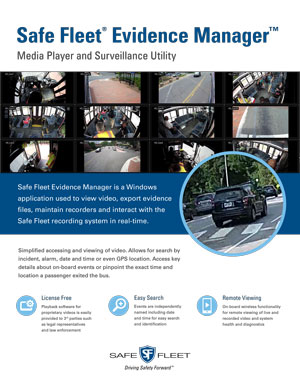
Safe Fleet’s digital evidence playback software gives transit agencies a simple, user friendly way to find, review, and export video clips from vehicle incidents quickly and accurately. Teams can search footage by event type, date and time, or GPS location to access key incident details, pinpoint specific moments, and create shareable clips while using built in facial and object redaction tools to help protect driver and passenger privacy throughout the review process.
View live and recorded video, export evidence files, manage onboard recorders, and interact with the Safe Fleet recording system in real time.
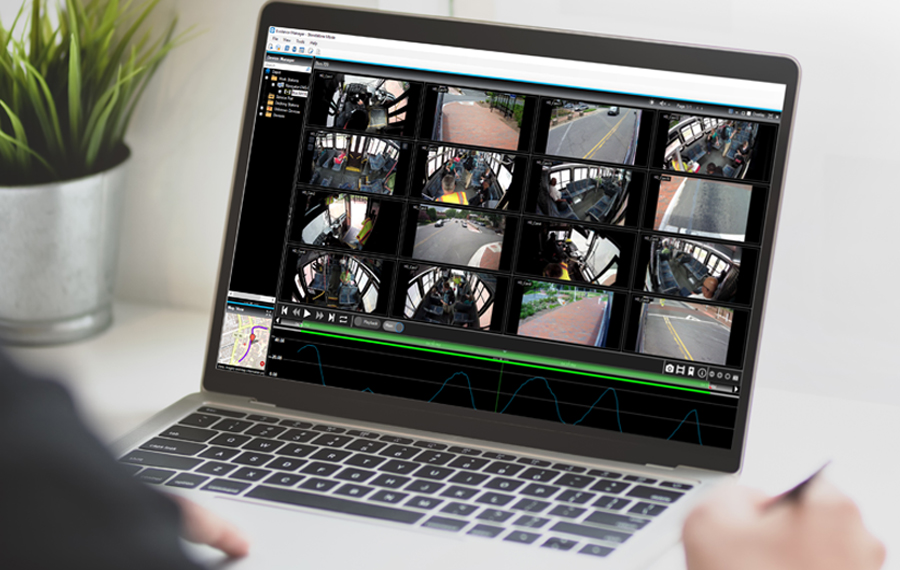
Mobile fleet evidence playback
Get a complete, reliable view of onboard incidents—anytime, anywhere.

License-Free Sharing
Share video playback software easily with approved third parties, including legal teams and law enforcement, without added licensing requirements.

Fast, Flexible Search
Quickly locate video using clear file names that include date and time, making it easy to find, identify, and review the right footage.

Remote Viewing & System Insight
Access live and recorded video remotely while monitoring system health and diagnostics through onboard wireless connectivity.
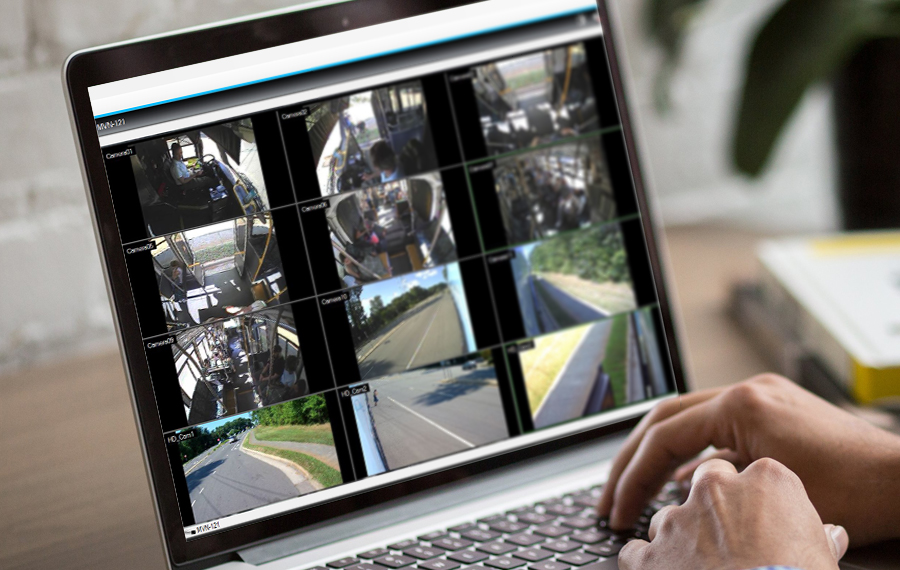
Get Clear Answers to What Happened on Your Fleet
Intuitive digital evidence playback software helps transit teams quickly review onboard incidents and understand what occurred. Easily locate video, review key moments, and create exportable media clips for investigations, documentation, or claims—without complicated tools or workflows.
See What Really Happened—And Exactly When
Video is synchronized with vehicle telemetry data, including GPS location, speed, turn signals, and braking activity, all within a single interface. This unified view gives transit agencies precise timing and context to accurately reconstruct events and make confident, informed decisions.
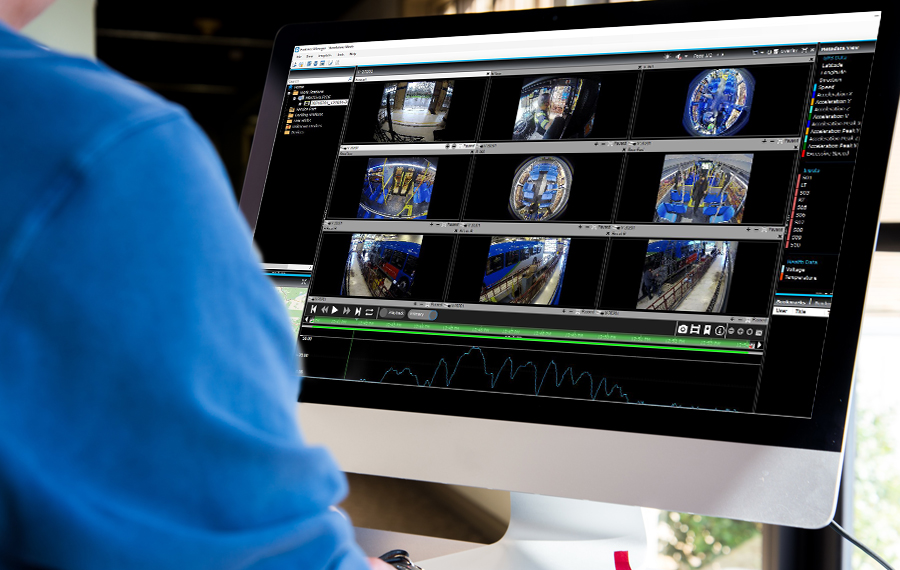
Additional Playback Capabilities
Multiple Camera Views
View up to 16 camera channels at the same time to see every angle of an incident in one place.
Intuitive Video Controls
Play, pause, fast forward, and rewind video easily using simple on screen controls and zoomable timelines.
Vehicle Path & Speed Mapping
Review vehicle location and speed alongside video playback to understand exactly where the vehicle was and how it was moving during an event.
Timeline-Based Navigation
Quickly jump to specific moments by clicking directly on the video timeline using date and time markers.
Dual Stream Playback
Play a second video stream within the playback view to compare angles or events side by side.
Privacy & Redaction Tools
Optional redaction features help blur faces and remove passenger audio to protect privacy while preparing footage for sharing.
Related Products
Evidence Management Software
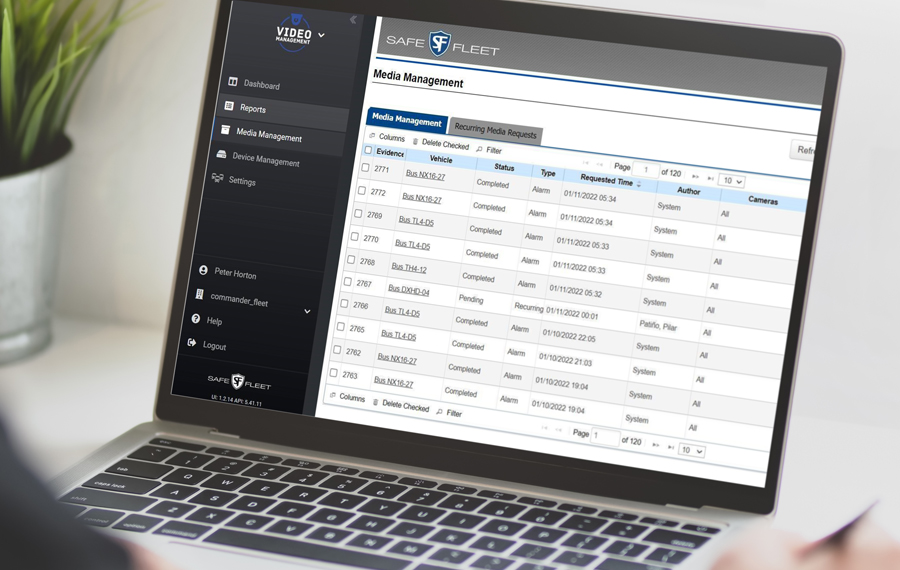
Manage all your digital evidence through a single, web-based platform that lets you search for and upload media from vehicle incidents. View which fleet vehicles are connected. See if any alarms have been triggered. Assess the health status of your hardware. See the status of your media requests.
Frequently Asked Questions About Onboard Video Playback Software for Transit
What is onboard video playback software for transit fleets?
Onboard video playback software for transit fleets allows agencies to review, analyze, and export video recorded on buses or rail vehicles. The software helps transit teams quickly understand incidents by providing access to synchronized video and vehicle data in a single, easy to use interface.
How does onboard video playback help transit agencies investigate incidents?
Onboard video playback helps transit agencies investigate incidents by allowing teams to locate specific events, review multiple camera angles, and see exactly what happened. Synchronized timelines and clear playback controls support accurate incident reconstruction and faster decision making.
Can transit agencies view multiple camera angles at the same time?
Yes. Onboard video playback software supports viewing multiple camera angles simultaneously, allowing transit teams to see different perspectives of an incident on one screen. Multi camera views help provide full context and reduce guesswork during reviews.
How do transit teams search for specific video footage?
Transit teams can search for video footage using timeline based navigation, date and time markers, or event based indicators. Clickable timelines make it easy to jump directly to key moments without manually scrubbing through long recordings.
Does onboard video playback show vehicle location and speed?
Yes. Onboard video playback can display vehicle location and speed alongside video footage. Seeing vehicle path and speed synchronized with video helps transit agencies understand where an incident occurred and how the vehicle was operating at that time.
Can video clips be exported for investigations or claims?
Yes. Transit agencies can create and export video clips directly from the playback software. Exported clips can be used for investigations, training, insurance claims, or legal review without needing additional tools.
How does onboard video playback support passenger and driver privacy?
Onboard video playback software can include optional privacy and redaction tools that help blur faces and remove passenger audio. These features support privacy protection when sharing video footage outside the agency.
Can transit teams view video remotely without being at the depot?
Yes. Remote viewing capabilities allow authorized transit staff to access live or recorded video without physically accessing the vehicle. Remote access helps teams respond faster and review incidents from any approved location.
Does onboard video playback support side by side video comparison?
Yes. Dual stream playback allows transit agencies to play two video streams at the same time. Side by side comparison helps teams review different angles or related events together for clearer understanding.
Who typically uses onboard video playback software within a transit agency?
Onboard video playback software is commonly used by transit safety teams, operations managers, training staff, and risk or claims personnel. The software supports incident review, coaching, documentation, and compliance workflows across departments.